
Cursor Cloud Agents make sense when you can hand over a defined coding task, let it run independently, and return to a change you know how to check. I would choose the interactive editor when the difficult part is still deciding what the software should do.
That distinction matters more than the number of agents you can launch. Adding tests around an understood function and figuring out why customers abandon a checkout are different assignments. The first may be ready to delegate. The second needs investigation before it needs more code.
The useful question is whether the agent can reproduce the problem, make a bounded change and leave enough evidence for someone else to assess it. Here is how I would judge that fit on an existing project.
What Cursor Cloud Agents Actually Do
A managed cloud agent runs in its own development environment, rather than borrowing your laptop's terminal. It can edit files, run commands and test software while your laptop is disconnected. Its working environment includes a repository checkout, dependencies, startup configuration and whatever access you provide.
For repository work, the result can return through a separate branch and pull request. That handoff is important: you are reviewing a proposed change, not asking another process to keep editing the same local files you are using.
The agent can also operate a browser and create screenshots or recordings. A recording of an interaction is useful evidence that the interface was exercised. It does not establish that every validation rule, permission check or error state works.
I like the prospect of returning to a small, explained change while concentrating elsewhere. Returning to an unexpected architecture rewrite is a different proposition, however impressive the demonstration looks.
Choose a Task With an Answer You Can Check
Start with work whose acceptance criteria already exist: documented behavior, a reproducible bug or a known gap in tests. Separate the engineering work from decisions that require your product judgment.
| Assignment | Where I Would Start | What Makes the Difference |
|---|---|---|
| Add edge-case tests to a stable function | Cloud agent | Inputs and expected outputs are already known. |
| Fix a reproducible bug | Cloud agent after setup verification | The original failure provides a concrete retest. |
| Upgrade a dependency within a settled compatibility range | Cloud agent with bounded scope | The lockfile, supported versions and regression checks define success. |
| Tune a screen while deciding how it should feel | Interactive editor | Frequent visual judgment is part of the task. |
| Redesign authentication or investigate a live incident | Human-led investigation | Missing context and consequential decisions need direct attention. |
A small change is not automatically a safe one. One line in authorization code can alter who sees a customer's records. Conversely, a larger mechanical migration can be suitable if the allowed transformation and affected checks are precise.
Before launching, finish these three sentences:
- Change: This task may alter these files or this behavior.
- Evidence: I will accept it after these checks demonstrate the required outcome.
- Stop: The agent must ask if it discovers this dependency, ambiguity or permission requirement.
If the evidence sentence is still vague, keep the task interactive for now.
If you want to work through the change interactively, the Claude Code existing-project guide covers planning, manual approvals and verification.
Separate Environment Preparation From Agent Startup
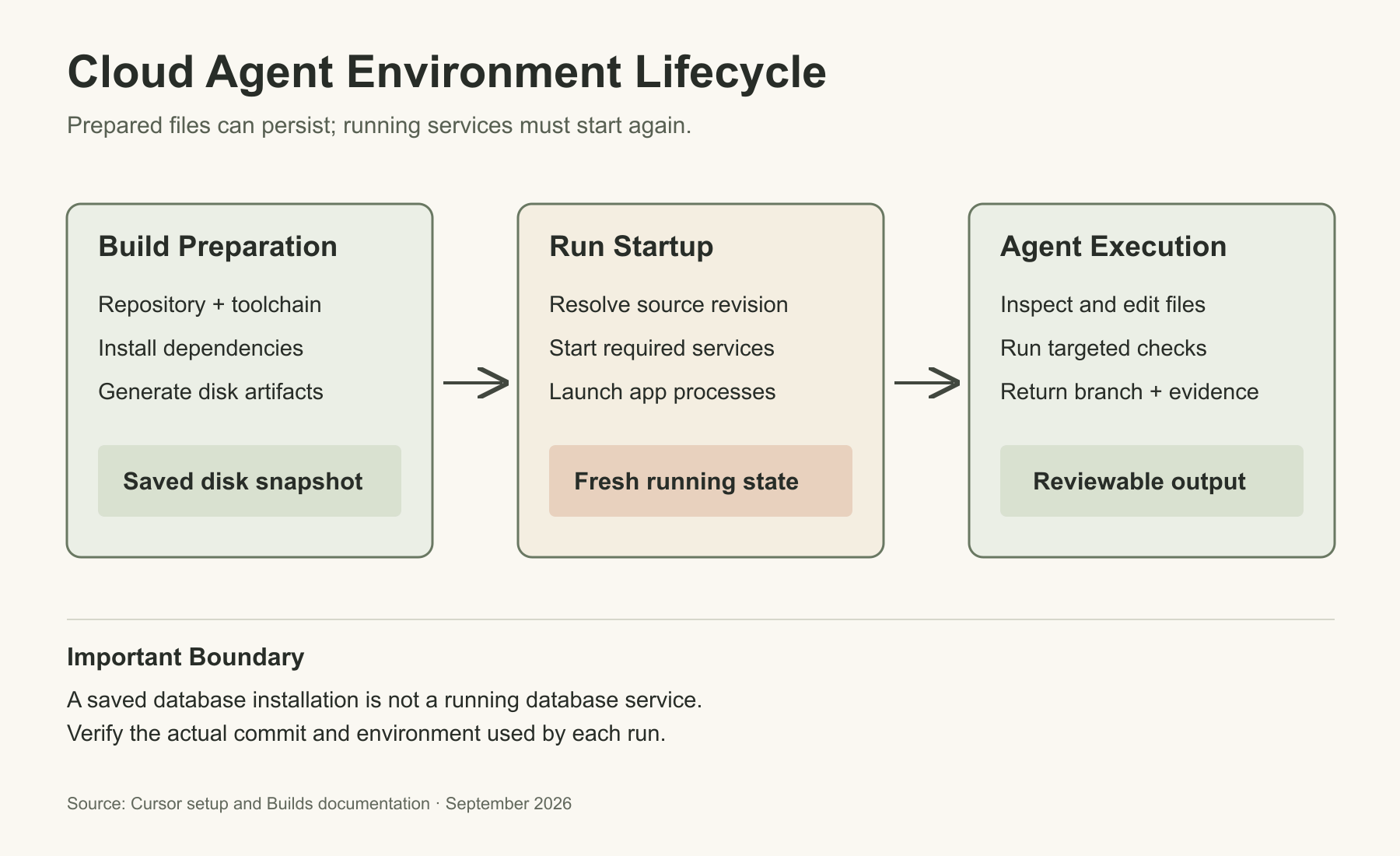
The cloud environment is another development machine. It does not inherit a database running on your laptop, the package credentials in your shell or the file you have not committed.
Cursor supports agent-led setup and manual Dockerfile configuration. Repository-level .cursor/environment.json takes precedence over a personal saved environment, which takes precedence over a team saved environment. Check the effective configuration when a colleague's run behaves differently from yours.
Prepare Dependencies, Then Start Services
Cursor's Builds preserve prepared disk state, not running processes. That distinction explains why installing PostgreSQL successfully does not mean the database will be running for the next agent.
| Phase | Purpose | Example Responsibility |
|---|---|---|
install | Prepare dependencies and disk artifacts during a Build | Install from the lockfile; generate a client; compile required tools. |
start | Start services for an agent run | Start the test database or an approved private-network connection. |
terminals | Start application processes in shared terminals | Launch the development server the agent will exercise. |
Keep installation repeatable. A script that appends a configuration line every time it runs or assumes an empty database can create a different environment on its second run.
For a typical web application, write down a short environment contract:
- Toolchain: The supported runtime and package-manager versions.
- Dependencies: The lockfile and installation command used by the project.
- Services: How the test database starts, becomes ready and receives synthetic fixtures.
- Application: Its working directory, development command and local URL.
- Checks: The targeted test command and any separate integration checks.
Keep reusable project instructions in AGENTS.md or repository rules. Explain the unusual parts, such as a monorepo package that must be built before another package's tests. Do not bury the one necessary command beneath pages of generic coding advice.
Before requesting a feature, give the environment a separate setup task:
Verify the existing project without changing application behavior.
Report the repository commit, working directory and runtime version.
Use the project's installation and startup instructions.
Run the relevant existing tests before editing source or tests.
Separate unavailable services from failing assertions.
If setup needs new credentials or broader network access, stop and explain why.
Do not fix unrelated failures, merge changes or deploy.
Know Which Commit the Agent Is Working On
An active Build can be healthy and still contain older default-branch code. Default-branch runs begin from the Build's recorded commit; whether they refresh it at startup depends on the stale-build settings. Feature-branch runs check out the selected branch but reuse the prepared environment, so changed dependencies may need reinstalling.
That is why a branch name alone is not enough for a useful handoff. Ask the agent to report the actual commit it started from, then compare it with the revision you intended.
These read-only commands help identify the checkout:
git rev-parse HEAD
git status --short
The first gives the commit identifier. The second exposes working-tree changes, including untracked files, so you can tell whether the starting point contains extra work. Run them in the correct repository, especially in a multi-repository environment.
Before assigning the task:
- Make sure the intended changes exist on the remote branch, not only in your local editor.
- Select the repository and branch deliberately.
- Record the starting commit and environment Build used by the run.
- If the branch changes dependencies, verify installation again before trusting test results.
For separate frontend and backend repositories, record both commits. A frontend test against yesterday's backend may miss the integration problem you wanted the agent to solve.
A First Assignment With Meaningful Acceptance Criteria
Consider an illustrative CSV exporter. Its documented contract requires a header row, quotes fields containing commas, doubles embedded quotation marks and preserves that header when there are no records. Those are example requirements, not assumptions to impose on your application.
Supply the real function and test paths, along with a few exact cases:
| Input Case | Expected Behavior in This Example | What the Test Should Catch |
|---|---|---|
A company named Acme, Inc. | The complete value remains one field. | Splitting one value into two columns. |
A label containing He said "Hi" | Embedded quotation marks are escaped correctly. | An invalid field or changed text. |
| No records | The documented header remains. | Returning an empty string instead. |
| Two ordinary records | Column order matches the header. | Correct escaping with incorrectly ordered fields. |
This is more useful than asking for better test coverage. A test can execute a function without checking whether its output is correct.
Give the Agent a Small Contract, Not a Vague Goal
Adapt this prompt to the actual repository:
Task: add missing tests for the existing CSV exporter.

Read the exporter, its current tests and the documented CSV contract.
Cover comma-containing fields, embedded quotes, an empty result set
and column order, using the supplied expected examples.

Scope: change only the agreed test file and necessary test fixtures.
Do not change application code, dependencies or unrelated tests.
Use the existing test framework.

If documented and current behavior disagree, show the smallest
reproduction and stop rather than writing a test that blesses either one.

Return: changed files, exact test command, result, skipped checks,
starting commit, final commit and a reviewable branch or pull request.
Do not merge, deploy or alter review requirements.
The disagreement rule matters. If the code returns an empty string but the contract requires a header, the agent has found a product defect, not permission to rewrite the expected result.
For an expert review, go one step further: ask what plausible broken implementation each assertion would reject. A test for a quoted field should fail when escaping is removed. A test that merely checks the output is nonempty would not establish that behavior.
Diagnose a Failed Run Before Asking It to Try Again
A failed cloud task is not always a model failure. Installation, credentials, service readiness and incorrect acceptance criteria produce different symptoms and need different repairs.
| Symptom | First Thing to Check | Useful Next Action |
|---|---|---|
| Private package installation fails | Registry hostname and build-time credentials | Correct the narrowly scoped access; retry installation. |
| Database connection is refused | Service startup and readiness | Start the service and wait for its health check. |
| Tests run locally but not remotely | Commit, runtime, working directory and fixtures | Compare the environments before changing code. |
| The agent reports success but zero tests ran | Command, test discovery and skipped cases | Run the intended suite and inspect its test count. |
| An assertion fails before any edits | Baseline behavior and requirements | Establish whether it is an existing defect or an invalid expectation. |
| The change touches unrelated modules | Scope and dependency explanation | Request a focused correction or take the task back. |
Avoid giving the agent a general instruction to fix everything until it passes. That can turn an unavailable service into unnecessary application changes or make a failing test disappear rather than repair the behavior.
A useful retry changes one diagnosed cause. Keep the failed command and relevant log, correct the environment or assignment, then repeat the affected check. If the same uncertainty remains, more unattended iterations are not new evidence.
Review the Change, Not Just the Summary
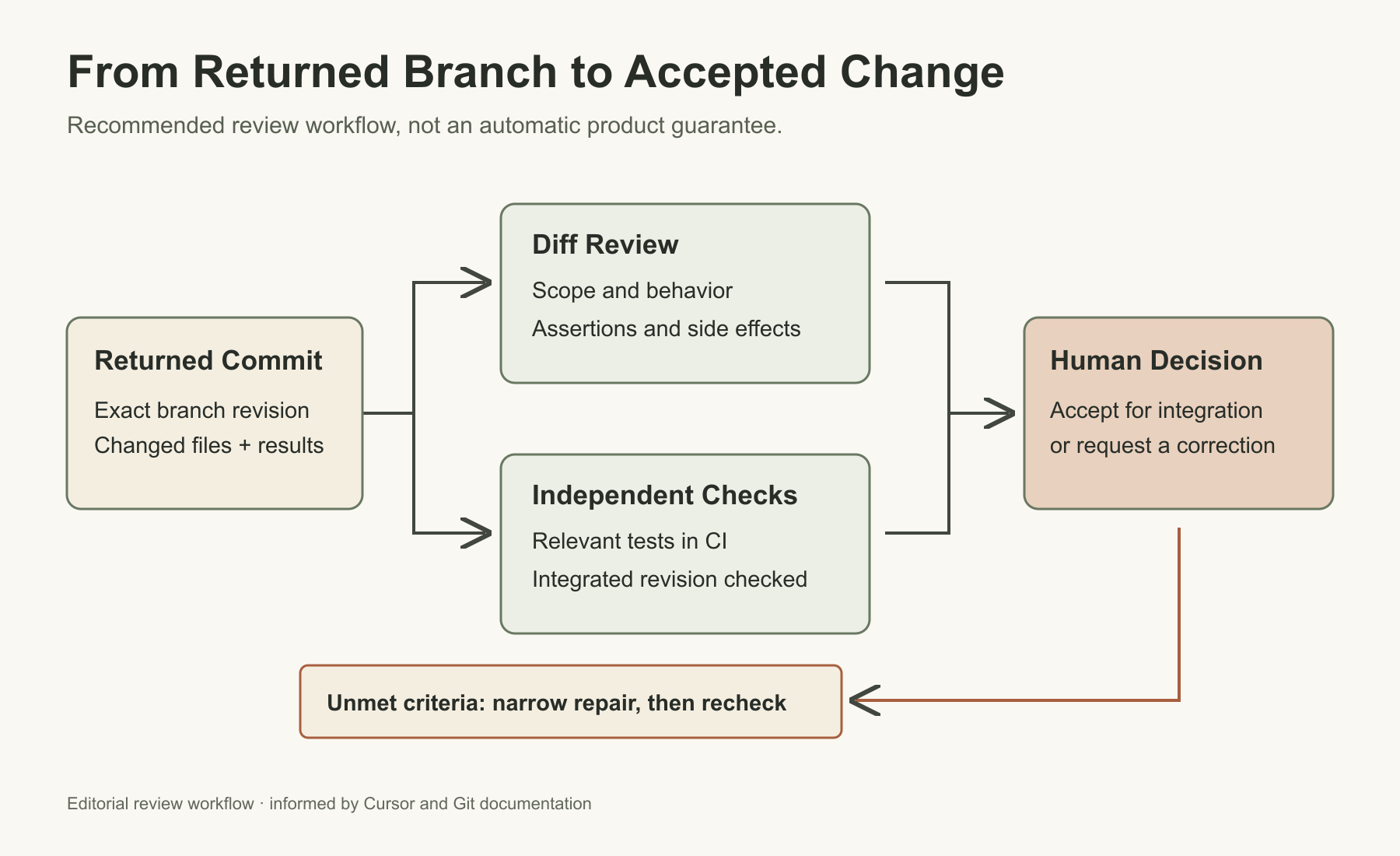
Begin with the changed-file list. For the CSV task, a package upgrade or application refactor needs an explanation before the summary deserves much attention.
After bringing the returned branch into a separate local checkout, you can inspect its committed changes. In this example, origin/main is the intended base and HEAD is the returned branch; substitute your actual base and refresh remote references first.
git diff --stat origin/main...HEAD
git diff --check origin/main...HEAD
git diff origin/main...HEAD
The three-dot comparison starts at the branches' common ancestor. It shows the proposed branch changes; it does not prove they will work after integration. --check can identify whitespace errors and conflict markers, not functional correctness.
Use four separate review questions:
- Scope: Are all changed files necessary for the assignment?
- Behavior: Do the assertions check the requested result, including failure cases?
- Execution: Did the reported command run those tests, without silently skipping them?
- Integration: Does the returned commit pass the appropriate checks in your normal CI environment?
Remote success and CI success can disagree because their toolchains, services or selected tests differ. Keep both results visible. If the base branch has moved, retest the integrated result rather than treating an earlier green run as transferable proof.
Cursor offers automated PR routing and approval. For an initial trial, keep a required human reviewer and inspect the repository's merge controls. A pull request is not inherently a human gate if another automation can approve or merge it.
Give It Less Access Than Your Own Laptop
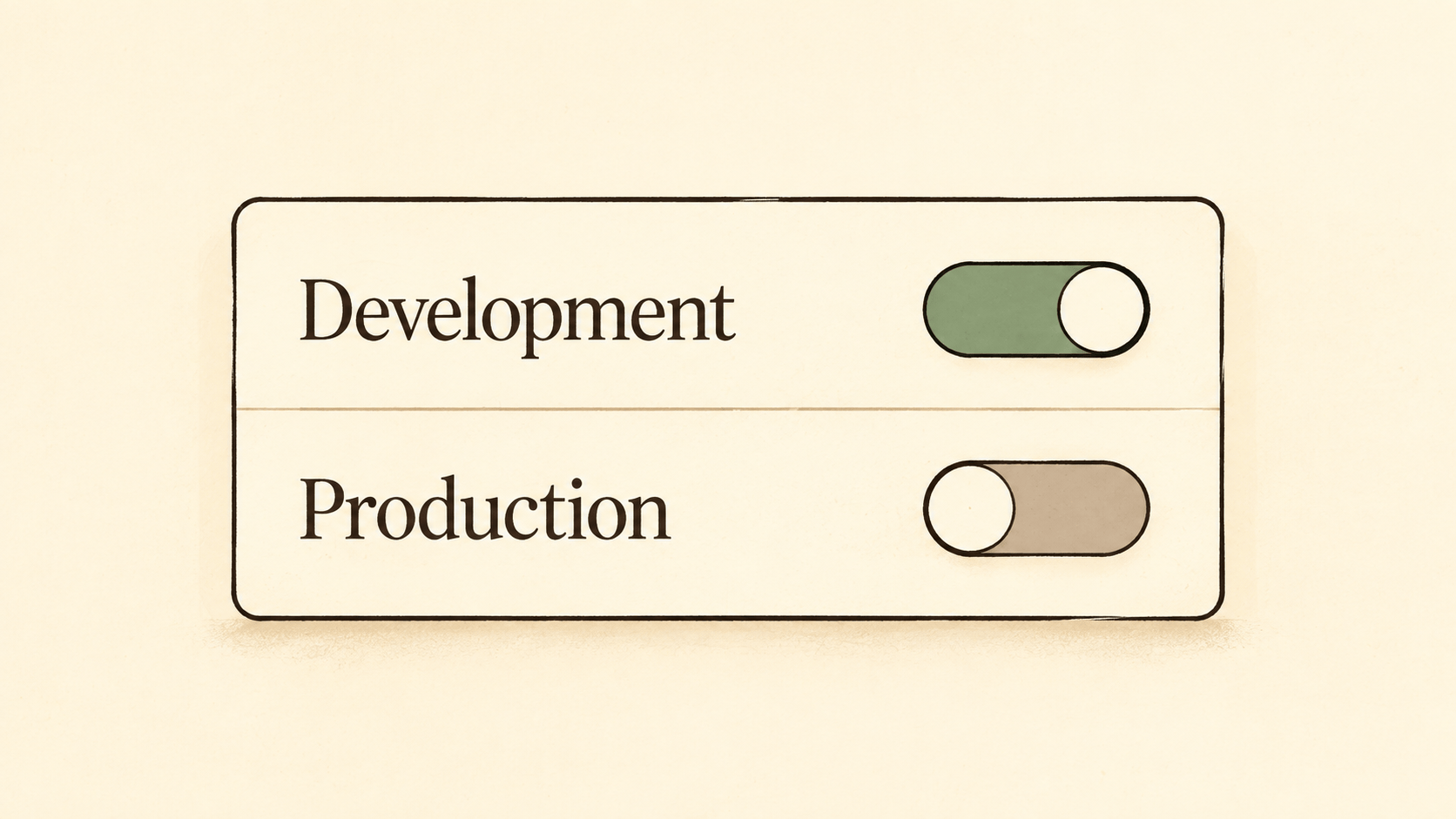
Cursor warns that autonomous terminal execution increases prompt-injection risk. Malicious instructions inside material the agent reads can try to redirect its actions, including sending code to an external destination.
For the CSV task, there is no reason to supply payment credentials or a customer database. Use synthetic fixtures and development-only access. Treat any newly requested permission as a change to the assignment, not a routine setup inconvenience.
Redaction, Network Access and Tool Permissions Are Different Controls
With Runtime Secrets, credential values are masked in outputs such as transcripts and commits, but the environment can still use them. Build Secrets are restricted to Docker build steps. Neither mechanism makes a broadly privileged credential harmless.
Choose network access deliberately. Allowlist only is more restrictive than Default + allowlist, but essential Cursor and source-control hosts remain reachable. It is not an offline mode.
Apply a small access checklist:
- Credentials: Limit account permissions, environment and lifetime to the task.
- Destinations: Allow necessary hosts; avoid broad wildcards for convenience.
- Data: Use fixtures or sanitized samples rather than copying production records.
- Outputs: Review logs, screenshots and recordings before sharing them.
MCP connections need the same scrutiny as terminal credentials. A tool that can query a database may also offer write operations. Inspect what the connected account and tools can actually do; a prompt saying read-only does not change those permissions.
There is a specific sharing detail worth noticing: when enabled, artifacts embedded in GitHub PR descriptions use unguessable URLs viewable without authentication. A private repository does not make those artifact URLs authenticated. Avoid recording customer information or credentials in the first place.
Choose the Runtime for a Concrete Reason
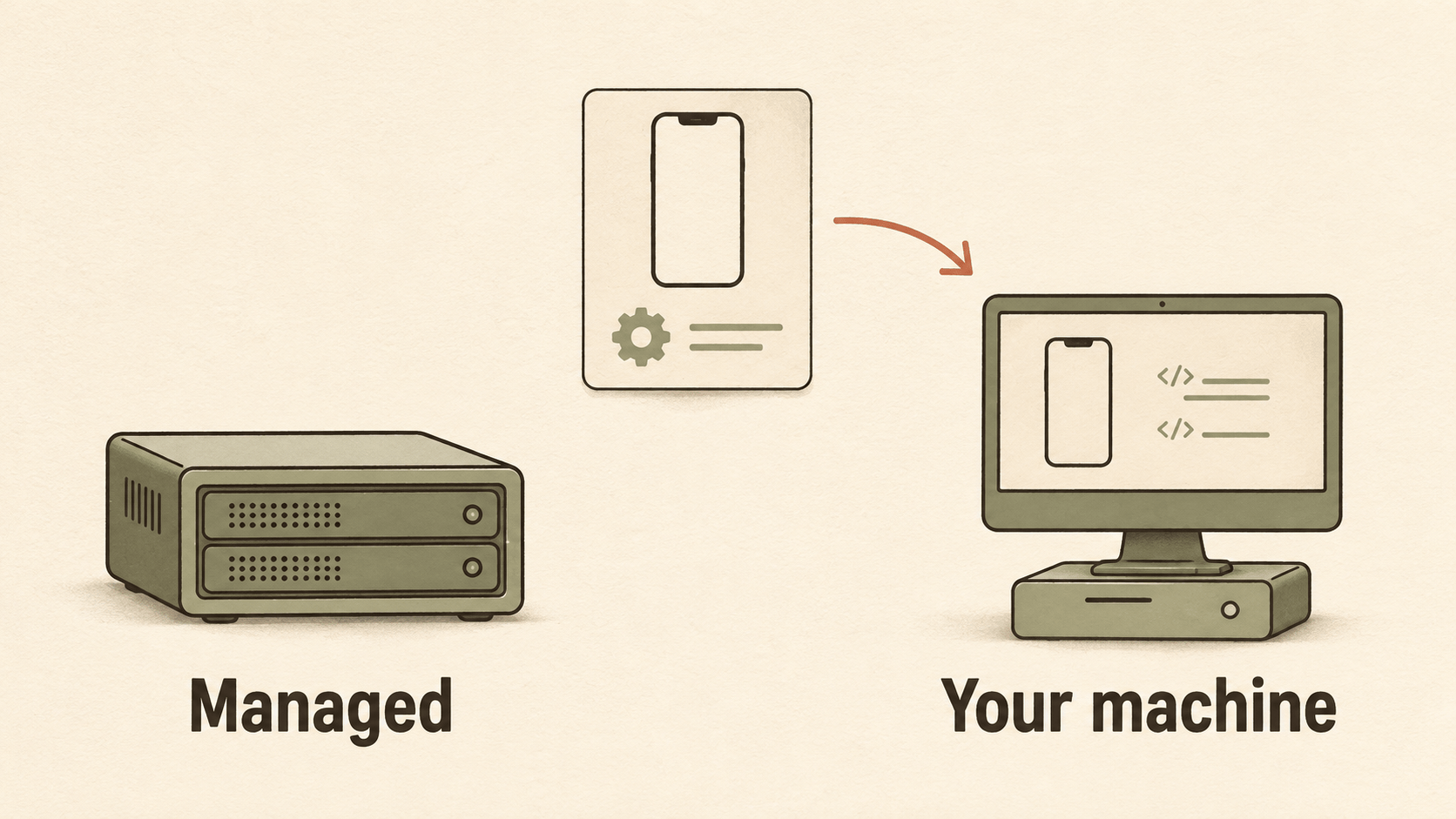
Self-Hosted Machines move tool execution onto hardware you manage. Cursor still runs the agent loop and inference, and relevant file contents, tool output and artifacts can leave the machine. Self-hosting is not the same as offline operation.
For an ordinary web project, I would start with managed execution if company policy allows it. Choose a self-hosted worker when a real requirement justifies it, such as a Mac needed for an iOS build or specialized hardware unavailable in the managed environment.
Private services alone do not automatically require self-hosting: managed environments support private connectivity. Check whether an approved connection solves the access requirement before taking on a worker fleet.
The practical tradeoff is ownership:
- Interactive editor: Best when you need immediate decisions and frequent steering.
- Managed cloud agent: Best when the task can proceed independently in a reproducible environment.
- Self-hosted cloud agent: Useful when execution has to use your hardware or environment, with worker upkeep added to your responsibilities.
Keeping a worker online, patched and appropriately isolated is part of the cost. A powerful workstation is not an advantage if unrelated sessions can change the checkout or consume the resources the agent needs.
Decide Whether the Cost Buys Back Useful Attention
Cloud-agent access does not mean unlimited model usage. Cursor's current plans distinguish usage pools: the India-only Start plan includes Cloud Agents but not the Other Models pool or on-demand usage. Pro, Pro Plus and Ultra include both model pools. Check your actual plan and selected model before treating one subscription as equivalent to another.
The amount consumed also depends on what the agent does. Repeatedly reading a repository, rerunning an investigation or generating a large output can change usage. A monthly subscription price cannot tell you the cost of a particular task.
The input and output token distinction explains why a short request can still involve a substantial amount of processing.
For a small trial, keep a short record rather than inventing a productivity score:
- Preparation: Time spent making the task and environment usable.
- Supervision: Corrections or decisions required during the run.
- Review: Time needed to understand, test and integrate the result.
- Usage: The actual reported consumption, plus any worker infrastructure you operate.
- Outcome: Accepted change, partial result or discarded work.
Compare similar assignments, not a trivial test update with a difficult migration. Include the tasks you discard. Counting only completed pull requests can make a workflow look cheaper than it feels to maintain.
My upgrade trigger would be a recurring queue of well-specified jobs whose results are understandable and verifiable. If preparation and repair repeatedly consume the attention you hoped to save, the interactive editor is the better fit.